The live seating chart display for your venue TV.
Open one URL on any TV, iPad or projector at your venue and your seating chart appears full-screen — branded to your event and updated in real time as you move guests.
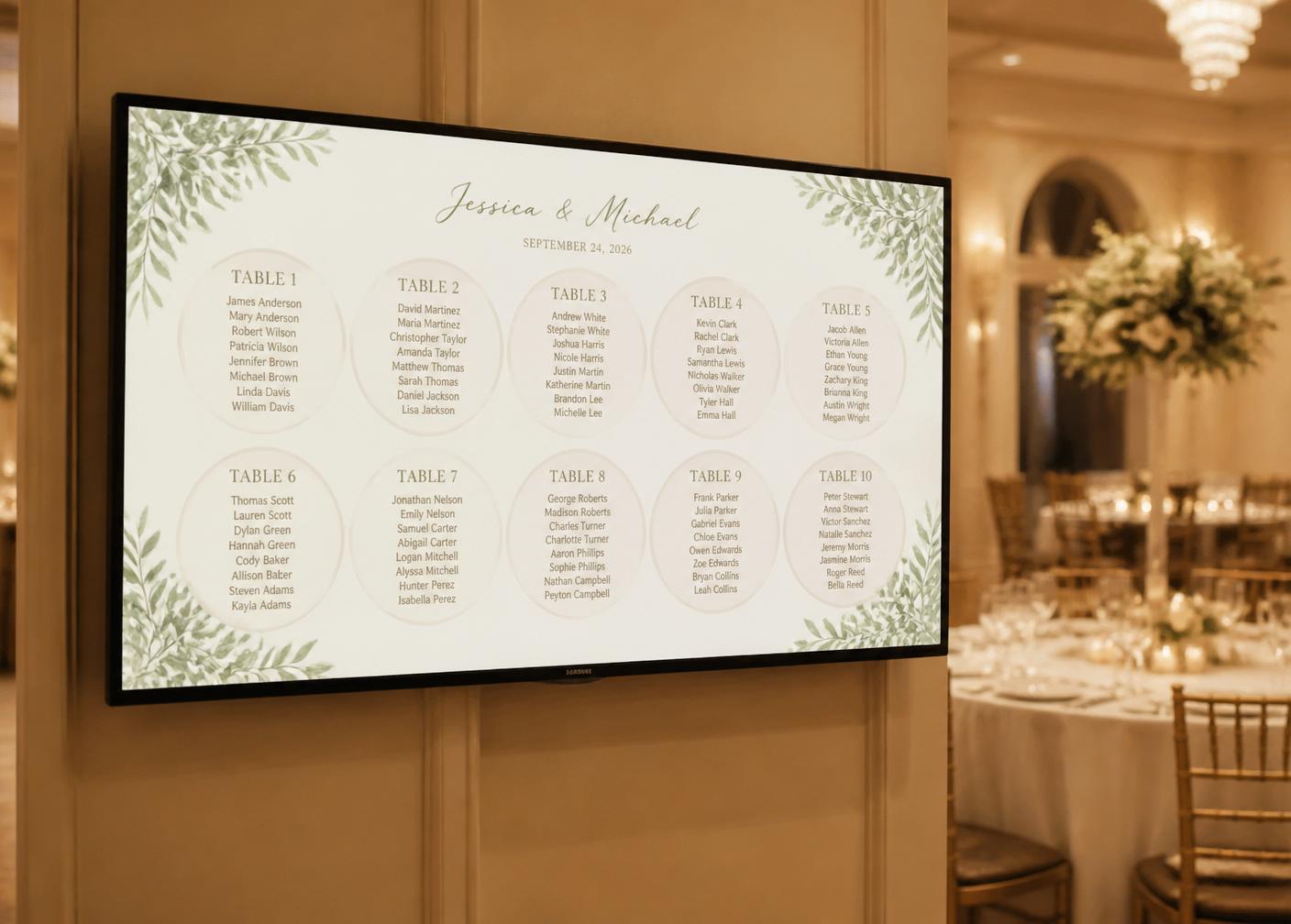
Why it beats a printed chart
A live chart, on the wall, without the reprint panic.
Move a guest and every open display refreshes automatically. Change from your phone from anywhere in the room.
Optimised text scaling so guests can read the chart from across a reception hall, not just up close.
TV, iPad, projector, digital signage. No app, no cables, no AV integration — just open a URL.
Your logo, your colours, your hero photo. Doubles as ambient branding through the reception.
Big event with a main room and a breakout? One display URL per room, all editable from one plan.
If the venue Wi-Fi drops mid-event, the display keeps showing the last known seating plan until it reconnects.
How the live display works
From plan to on-air in three steps.
Round, square or rectangle tables. Drag to arrange, drop guests into seats.
On any browser at the venue — TV, iPad, projector. It scales to fit the screen automatically.
Move a guest from your phone. The display refreshes within seconds.
“The live TV display was the single most-commented-on thing at our wedding. We moved four guests in the last hour and nobody noticed — because the chart was already right.”
Common questions
Live seating display — frequently asked.
- What is a live seating chart display?
- A live seating chart display is a screen — usually a TV, monitor, iPad or projector at your venue — that shows your seating plan full-screen and updates automatically whenever you change table assignments, so last-minute swaps appear instantly without reprinting anything.
- What hardware do I need to run the live display?
- Any device with a modern browser: a wall-mounted TV with a browser, an Amazon Fire Stick or Chromecast, an iPad on a stand, a laptop plugged into a projector, or the venue's own digital signage. There's no app to install and no cables — just open the display URL.
- How fast does the display update when I move a guest?
- Under two seconds. Drag a guest to a new table in the editor and every open live display refreshes automatically. You can update from your phone from anywhere in the venue.
- Can I brand the live display with my colours or photo?
- Yes. Upload your logo, hero photo (engagement photo, event branding, sponsor logo) and set a colour — the display picks it up automatically and doubles as ambient branding through the reception.
Pairs well with
Ready to broadcast your seating chart?
Start free. Design the room, invite a co-planner, and open the live display on any screen when you're ready.
Get started for free